To transfer a learner from one group to another:
-
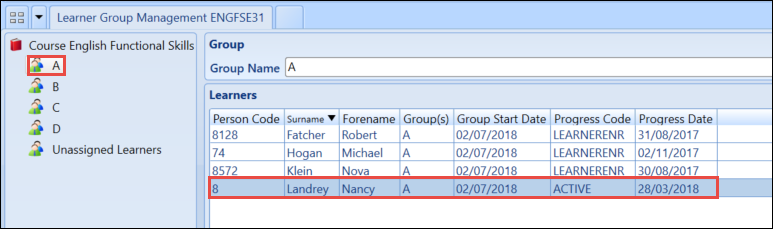
Select the learner from the group tab they are currently assigned to.
-
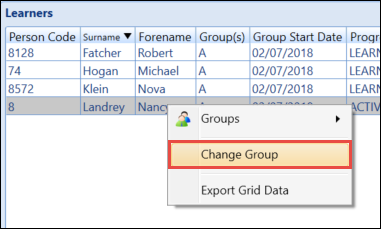
Select and hold (or right-click) on the selected learner and select Change Group .
The Change Learner Tutor Group window will display.
-
Select the new group from the Desired group drop-down list and enter the date for the transfer in the Effective From field.
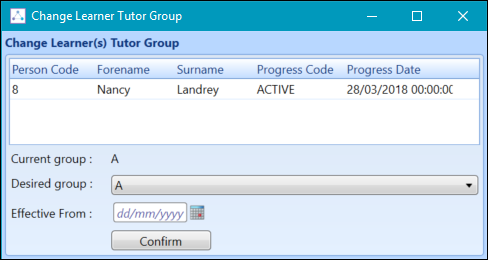
- Select the Confirm button to process the change.
-
Select the Save button to save the changes.
